

Cyber security for schools
Cyber security for Australian schools: where to start.
What schools are expected to do, the first five things to check, and a checklist your business manager can work through in ten minutes.
What is expected
Three sets of expectations, one school.
No single rulebook covers every independent school. These are the three most schools answer to.
Privacy and data breaches
Most independent schools are covered by the Privacy Act 1988 and the Notifiable Data Breaches scheme run by the OAIC. If an eligible breach is likely to cause serious harm, you may need to notify affected families and the OAIC.
The Essential Eight
The Australian Signals Directorate's eight baseline strategies. Not a legal requirement for independent schools, but the common language boards, insurers and auditors increasingly use.
Your Board and your sector
The Board carries the risk, and your school association or sector body may set its own expectations. Progress needs to be reported in language a Board can read unassisted.
Where to start
The first five things to check.
The same priorities our Essential Eight guide starts with. None of them needs a security team.
The Essential Eight for independent schools- 01
Multi-factor authentication
On email, Microsoft 365 and anything reachable from the internet, starting with staff who hold finance, payroll and administrator access.
- 02
Patching, and the devices that can no longer be patched
Most attacks use flaws that already have a fix. The harder problem is the old classroom laptop or forgotten server that cannot be updated: it needs a plan to be replaced or isolated.
- 03
Backups you have actually restored
A backup is only proven when a restore has been tested. Keep at least one copy that ransomware cannot reach.
- 04
Administrator rights kept to the few
Everyday accounts should not be able to install software or change security settings. Fewer administrators means less for an attacker to borrow.
- 05
Someone who would notice, and a plan on paper
Check that alerts reach a person, and that incident contacts and recovery steps are written down before you need them.
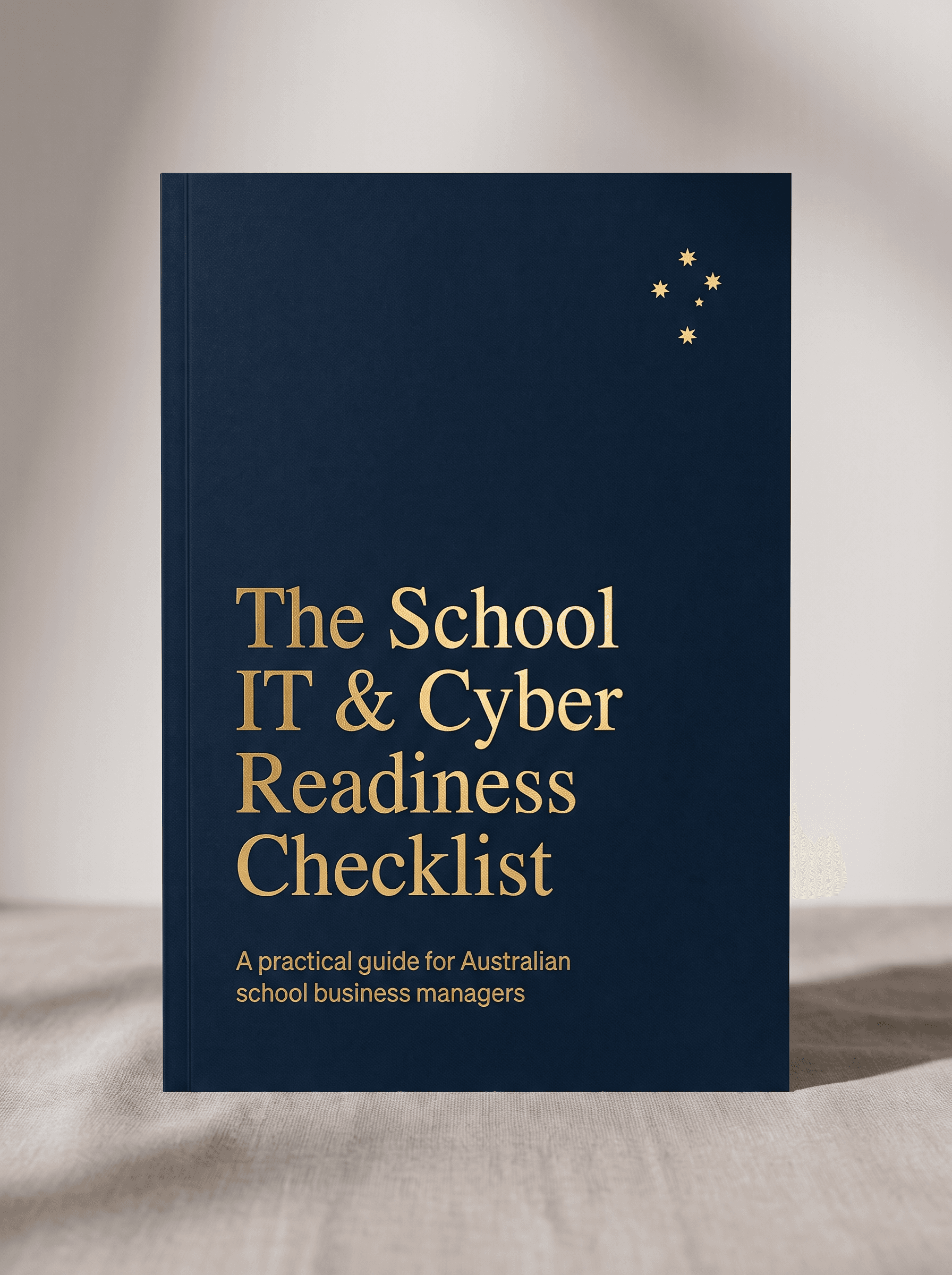
Free download
The School IT & Cyber Readiness Checklist
A practical, plain-English guide for school business managers. Ten minutes to see exactly where you stand, and what to fix first.
- The 12-point readiness self-assessment
- The questions your Board will ask after a breach
- A one-page plan you can action this term
Why schools are different
The controls are similar. The stakes are not.
A cyber incident in a school is an operational problem as much as a technical one. We secure schools to that standard and report on it in language a School Board can read.
- Schools hold children's identities, images and family details.
- Fee payments, payroll and email all run through staff accounts.
- The term calendar cannot pause for an outage, so disruptive changes belong in the holidays.
- IT is often one or two people, or an outsourced partner, with the business manager carrying the risk.
Guides
Guides for school business managers
Plain-English reads on the Essential Eight, what an incident costs a school, budgets and devices.


Questions we hear
Cyber security for schools: questions
Is the Essential Eight mandatory for independent schools?
No. Under the Commonwealth Protective Security Policy Framework, the Essential Eight is required of non-corporate Commonwealth entities. For independent schools it is a widely recognised baseline, not a legal requirement. Schools still have privacy and notifiable data breach obligations, and the Essential Eight is a practical way to meet them.
Do we have to report a data breach?
If your school is covered by the Privacy Act 1988, and most independent schools are, an eligible data breach that is likely to cause serious harm may need to be reported to affected families and the OAIC under the Notifiable Data Breaches scheme.
Can we do this without a security team?
Yes. Most schools do. A small internal team or an outsourced partner can work through the priorities in order, report to the Board each term and use the school holidays for disruptive changes. What matters is clear ownership and a regular review, not team size.
What is in the readiness checklist?
A 12-point self-assessment, the questions your Board will ask after a breach, and a one-page plan you can action this term. It takes about ten minutes with a highlighter.
What does the school IT health check involve?
About 45 minutes, free, and built for schools. We map what you have, what is at risk and what to fix first, in language your Board will understand.
Is SCCS certified for information security?
Yes. SCCS is certified to ISO/IEC 27001:2022 by Intertek (certificate 0223646, valid to 31 August 2028). It covers how we manage information security in our own business, which is the standard we bring to yours.
Ready when you are
Want a second pair of eyes on it?
Book a free school IT health check. We look at your environment, rank the risks in plain English and tell you what deserves attention first.