
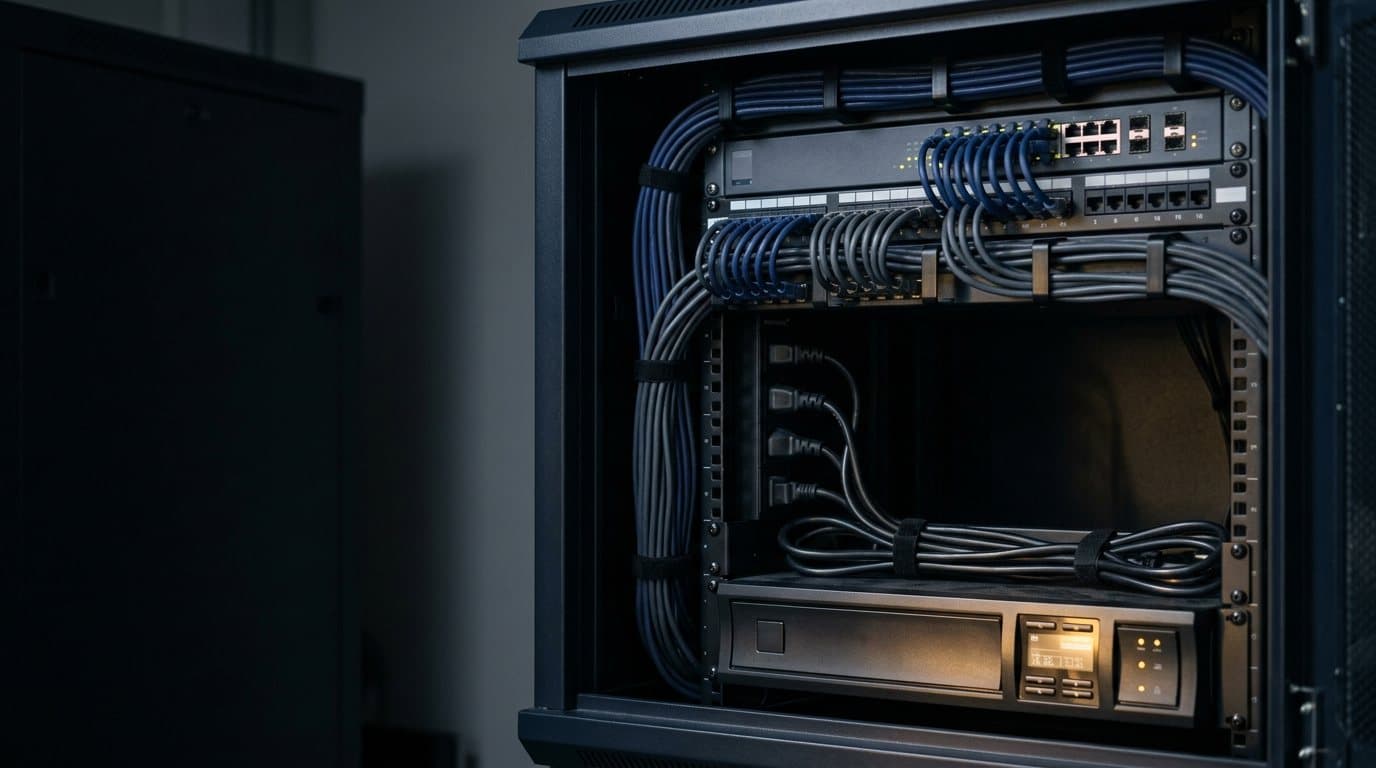
Power protection
Keep the comms room running when the power does not.
A plain-English guide to sizing a UPS, replacing its batteries, choosing a rack PDU and protecting against surges, with the right parts a click away.
Sizing a UPS
Which UPS do I need?
Four questions, in this order. Answer them and the shortlist is usually short.
- 01
What must it keep running?
Add up the load in watts, not just the VA on the label. VA and watts are different numbers; the gap between them is the power factor. Check the nameplate or spec sheet of each device, then leave headroom so the UPS is not running flat out.
- 02
For how long?
Riding out a blip needs a minute or two. Shutting servers down cleanly needs longer, and keeping a school network up through an outage needs more again. Decide which one you are buying, because runtime is what drives battery size and cost.
- 03
Where does it live?
Tower or rack? If it is rack mounted, how many rack units and how deep is the cabinet? A UPS also gives off heat and the batteries age faster when the room is warm, so a cupboard with no airflow is the wrong home for one.
- 04
Which topology?
Standby, line-interactive or online, as set out below. Match it to what the equipment can tolerate, not to the biggest number on the box.
Three topologies, one line each
- Standby (offline)
- Runs from mains and switches to battery when power fails. Suits a single PC or a small printer. Little protection against sags and noise in between.
- Line-interactive
- Corrects sags and surges as they happen, and only uses the battery when it has to. The usual choice for a switch, a NAS, a small server or a cabinet.
- Online double-conversion
- Always runs the load from the inverter, so the equipment never sees raw mains. Suits critical servers and sensitive gear, at the cost of more heat and a higher price.
Replacement batteries
Batteries wear out. Plan for it.
The sealed lead-acid batteries inside most UPS units age with time and heat. Manufacturers commonly quote a service life of around three to five years, and less in a hot room. A UPS with a tired battery looks fine until the night it is needed.
Browse UPS batteriesSigns it is due
- A failed self-test, or a replace-battery alert on the display or software
- Runtime far shorter than it used to be
- The battery is past the age the manufacturer quotes for it
Match the exact replacement for your model. APC, for example, sells numbered RBC cartridges ("RBC" plus a number), and the wrong one will not fit or will not give the runtime you expect. Send us the model off the label and we will confirm the part. Old lead-acid batteries go to a recycler, not general waste.
Rack PDUs
The power strip that knows its job.
A rack PDU shares power across the equipment in a cabinet. Pick the level of visibility you need, then size it by the circuit it plugs into.
Basic
Splits one feed into several outlets. No display, no reporting.
Metered
Shows the total load on the PDU, so you can see how much circuit you have left.
Metered by outlet
Reports the draw at each outlet, which helps when you are tracing a heavy device.
Switched
Lets you turn individual outlets on and off remotely, and reboot a hung device without a site visit.
Size by supply: in Australia a standard power point is rated at 10A, a 15A outlet (with the wider earth pin) needs its own circuit, and larger racks are often fed from 16A or 32A industrial outlets. Then match the inlet plug and the outlet type (C13 for most IT equipment, C19 for larger gear and some UPS units). If the cabinet needs a new circuit, that is a job for a licensed electrician.
Browse PDUsSurge protection
Three different things people call surge protection.
A surge protection device limits a short spike in voltage before it reaches the equipment. How much protection you get depends on where it sits.
Browse surge protectorsSurge-protected power board
Plugs into a wall socket and takes the edge off a surge for the devices on it. Fine for desks and AV carts. It does nothing when the power drops out.
UPS
Gives battery runtime when power fails and conditions what reaches the load. It is not a substitute for protection at the switchboard.
Hard-wired surge protection device
Fitted at the switchboard to protect the whole circuit or building. This is electrician work: it must be specified and installed by a licensed electrician, not plugged in by IT.
Comms room basics
Every school has one. Most are an afterthought.
The cupboard that holds the switches and the server tends to grow by accident. A few basics keep it reliable, whether it sits in a school or an office.
- Ventilation and temperature: equipment needs air moving through it, and a closed cupboard turns into an oven.
- Rack depth: check the depth of the cabinet against the UPS and servers before you order, not after.
- Cable management: labelled, separated power and data runs make faults quick to trace and equipment easy to swap.
- A UPS sized for the cabinet, set up to shut gear down cleanly rather than just run until the battery dies.
- Monitoring, so someone gets a message when the power drops. A UPS that failed silently last month is no help tonight.
From the catalogue
Know what you need? Go straight to the range.
Everything here comes through Australia's major IT distributors. RRP is shown; trade pricing is available on application for organisations that buy regularly.
Ask us to size it
Send us the label, we will do the matching.
Send us the model on the label or tell us about the room. We will match the right unit or battery and come back with a price.
Buying regularly for a school or business? Apply for trade pricing.
Guides
Guides and where to start
Short, practical reads on sizing, batteries, PDUs and surge protection, plus the catalogue pages most people need first.
Questions we hear
UPS and power protection questions
How long do UPS batteries last?
Manufacturers commonly quote a service life of around three to five years for the sealed lead-acid batteries in most UPS units. Heat shortens that, so a UPS in a warm comms room may need new batteries sooner. A failed self-test, a much shorter runtime than before or a replace-battery alert all mean it is due.
Can I replace the UPS battery myself?
On many APC units the battery is a user-replaceable cartridge, and the manufacturer's instructions cover how to swap it. Larger rack and online units usually have heavier battery packs and are a job for a technician. Either way, match the exact replacement part to your model, and send the old lead-acid battery to a recycler, not the bin.
What size UPS do I need for a server and a switch?
Add up the watts the two devices draw, allow some headroom, then pick the runtime you want. The VA rating on a UPS is not the same as watts, so compare the watt rating. If you send us the model numbers, or the label on your existing UPS, we will size it for you.
Is a surge protector enough?
A surge-protected power board guards against surges but does nothing when the power drops out. For a server, a switch or a NAS, a UPS adds battery runtime and a clean shutdown. Protection at the switchboard is a separate layer, fitted by a licensed electrician.
What is the difference between line-interactive and online UPS?
A line-interactive UPS corrects small voltage changes and switches to battery when needed. An online double-conversion UPS runs the load from its inverter all the time, so the equipment is isolated from mains. Online units suit critical or sensitive equipment; line-interactive suits most cabinets.
Do you supply the brands we already use?
We supply APC, Eaton, CyberPower, Vertiv and others through Australia's major distributors. Send us the model on the label and we will match the right unit or battery.
Do you install?
Our projects team scopes and installs comms room work, including cabinets, UPS and PDUs. Any electrical work, such as new circuits or hard-wired surge protection, is carried out by licensed electricians.
Ready when you are
Not sure what to order?
Send us the model or describe the room. We will size it, match the parts and come back with a price.