

A cyber incident costs a school far more than the recovery invoice. The real cost is lost teaching days, staff pulled off timetabled work, family communication, notifiable data breach obligations, insurance excesses, and recovery work that runs into the holidays. Published averages exist, but your own exposure is easier to estimate by counting days, staff, systems and records.
Most conversations about cyber risk start with a dollar figure. School business managers feel it differently. You feel it as a Year 9 maths lesson with no projector, a payroll run stuck on someone's desk and a front office phone that will not stop ringing. This article is part of our guide to IT for schools, written for business managers and principals at independent, Lutheran and other faith-based schools.
I will walk through each cost in the order a school experiences it, show where the published ASD and OAIC figures fit, and give you a short worksheet to estimate your own exposure. Then we cover the four controls that cut the cost most. No fear, and no invented numbers. If something is fine, I will say so.
Key Takeaways
- The biggest costs of a school cyber incident are felt in the timetable (lost lessons, staff time, family trust), not on the invoice.
- Most independent schools should assume the OAIC Notifiable Data Breaches scheme applies, and that a suspected breach must be assessed within 30 days.
- Cyber insurance softens the financial shock, but excesses, conditions and renewal questions still land on the business manager.
- You can estimate your own exposure with four inputs: days of disruption, staff affected, systems to restore and records held.
- Four controls cut the cost most: multi-factor authentication, tested backups, regular patching and an incident response plan everyone has read.
- Use the latest ASD and OAIC reports for sector figures. Averages are a starting point, not a budget.
Free, 45 minutes
Start with a school IT health check.
We look at your environment, rank the risks in plain English and tell you what deserves attention first. Built for schools, with nothing to prepare.
Summary Table
| Cost area | What the school feels | What reduces it most |
|---|---|---|
| Lost teaching days | Lessons run without timetables, platforms, printing or Wi-Fi | Tested backups, a ranked restore order |
| Staff pulled off work | Business, finance, front office and leadership absorb the workload | A rehearsed incident plan with named roles |
| Family communication | Calls, emails and questions arrive before answers do | Pre-agreed holding statements, a second channel |
| Notifiable data breach duties | Assessment, legal advice, notifying the OAIC and families | Knowing what records you hold, and where |
| Insurance excess and renewal | An excess to pay, tougher questions next year | Accurate answers backed by real controls |
| Enrolment conversations | Prospective families ask how you protect their information | A calm, factual account and evidence of change |
| Holiday recovery work | Rebuilds and device re-imaging eat the break | MFA, patching and backups that prevent the worst case |
What are the main costs of a cyber incident for a school?
School cyber costs fall into two groups. Direct costs have an invoice: responders, restoration, legal advice and the insurance excess. Indirect costs show up in the timetable: lost lessons, staff time, parent trust and enrolment conversations. In my experience the second group is usually larger and almost never budgeted.
Direct costs are easy to list and easy to approve. Indirect costs are harder because nobody sends a bill for a lesson taught badly. That is why a school can look at a modest recovery quote and underestimate the true impact of the same event by a wide margin.
It also helps to separate the incident from the term. A school runs on a fixed calendar: reporting windows, senior assessment, camps, excursions, parent-teacher interviews, enrolment tours. Attackers do not check your calendar, but the cost of an outage depends heavily on where it lands. The same two-day outage is an annoyance in week three and a serious problem in a reporting week.
What do the published figures say about school cyber incidents?
Two primary Australian sources matter most. The ASD Annual Cyber Threat Report covers incident response activity and the average cost of cybercrime to businesses. The OAIC Notifiable Data Breaches reports count notified breaches by sector, with education shown separately. Read the latest edition of each, because the numbers move every year.
I have deliberately not copied figures into this article. They change with every edition, and the ASD cost averages are drawn from reports by businesses of different sizes, not from schools. A school with a boarding house, a large health and wellbeing record set and a small IT team is not an average business.
Here is what I would look for when you open them:
- In the OAIC report: the education sector's notification count, the split between malicious or criminal attack, human error and system fault, and the kinds of personal information involved. Contact details, identity information and health information appear regularly across sectors, and all three are held by schools.
- In the ASD report: the leading incident types, including ransomware and compromise through stolen credentials, and the cost averages by business size. ASD has consistently pointed to basic controls as the way to reduce exposure.
Use those sources to give your council or board context. Then use your own numbers, from the worksheet below, to size your school's exposure.
How many teaching days can a cyber incident cost?
There is no standard number of days, and anyone quoting one for schools without a named source is guessing. What matters is which systems fail. Losing the student information system, identity platform, Wi-Fi or learning platform removes the tools teachers rely on every period. Lessons carry on, but at lower quality.
A useful way to think about it is partial versus total outage. A partial outage, say email down but the network up, is frustrating. A total outage, where staff cannot log in at all, is a different category. Teachers lose attendance, timetables, learning materials, printing and the ability to record results. Some will improvise brilliantly. Others will lose a week of planning.
This is where I apply what we call the teacher test: if technology steals a minute of the lesson, it failed. Counted that way, an incident is not a single event. It is hundreds of small losses across every classroom, multiplied by the number of days it takes to restore the systems teachers use first.
Assessment and reporting periods raise the stakes. If marks, drafts or moderation material sit on a system that is unavailable, the loss is not only a day. It can mean reconstructing work that students and staff have already done.
Which staff get pulled off timetabled work?
A cyber incident pulls people off timetabled work across the whole school, not just the IT team. The business manager, finance, front office, heads of year and the principal all absorb workarounds, decisions and phone calls. When you count the cost, count their hours as well as the technician's.
Think through a typical day without systems. Roll marking goes to paper. Fee processing and payroll need manual checks. Front office staff field calls without access to family records. Teachers running an excursion need emergency contacts and medical alerts, and those usually live on a system that is offline.
That last point is a practical one. Keep an offline, regularly updated copy of emergency contacts and medical alert information for camps and excursions. It costs almost nothing and removes a duty-of-care problem during an outage.
The other hidden cost is after-hours work. Responders work through nights and weekends, and a school leader usually needs to be available to approve decisions. Fatigue is a real cost, and it lands on the same small group of people who are also running the school.
How should a school communicate with families during an incident?
Communication with families starts in the first hours. Parents need to know what is affected, what you are doing and what they should do, in plain words. If your email, website or parent portal sit on the affected systems, you will need another way to reach them, and you should decide that before an incident.
Four habits make the biggest difference:
- Agree a second channel. Know how you would reach families if email and the parent portal are down.
- Prepare holding statements. A short, factual statement approved in advance beats a rushed one written at midnight.
- Speak with one voice. Decide who talks to families, the council and the media, and brief the front office on what to say.
- Do not speculate about cause. Say what you know, what you are doing and when you will update.
For faith-based schools there is a pastoral dimension. Families expect care as well as information. A calm, honest tone, with a clear point of contact for worried parents, matters as much as the technical detail.
Call volume is a real cost too. Staff who are briefed and have a short script can handle it. Staff who are not briefed will either say too much or avoid the phone.
What are a school's notifiable data breach obligations?
The Notifiable Data Breaches scheme under the Privacy Act 1988 requires covered organisations to notify the OAIC and affected individuals when an eligible data breach is likely to result in serious harm. If you suspect a breach, you must assess it within 30 days. Most independent schools should assume the scheme applies and confirm with their adviser.
An eligible data breach involves unauthorised access to or disclosure of personal information, or its loss in circumstances where unauthorised access is likely, and serious harm is likely to result. If you can take remedial action that prevents the likelihood of serious harm, notification may not be required. That judgement is where good advice earns its fee.
Schools hold a particularly sensitive mix of records: student and family contact details, health and medical information, learning support and counselling notes, custody and court-related information, and staff files. Sensitivity raises the likelihood of serious harm, so schools should assume their records need careful assessment.
When notification is required, the statement must describe the breach, the kinds of information involved and the steps affected people should take. Then the school contacts families, which links straight back to communication planning. The costs here are legal advice, staff time for the assessment and the work of reaching every affected person.
Two further points. First, the OAIC publishes its Notifiable Data Breaches reports with education shown as a sector, so you can see what peers are notifying. Second, the Cyber Security Act 2024 introduced ransomware payment reporting for many businesses. Confirm with your adviser whether your school is covered. This is general information, not legal advice.
The simplest way to reduce the cost of this obligation is to know what you hold. A school that can say which systems store which records, and for how long, assesses a breach faster and notifies fewer people.
How do cyber insurance excesses and renewals affect a school?
Cyber insurance softens the financial shock but does not remove the disruption. Policies carry an excess, can include waiting periods and often require you to call the insurer's incident line before engaging your own responders. At renewal, expect detailed questions about multi-factor authentication, backups and patching, and expect your answers to affect terms.
Before you need the policy, ask your broker:
- What is the excess, and does it differ by type of event?
- What is covered: restoration, business interruption, legal costs, breach notification, extortion payments?
- Do you have to use the insurer's panel responders, and who do you call first, at 2am?
- What controls does the policy assume you have in place?
That last question matters most. Renewal forms ask whether MFA is enabled, whether backups are tested and offline, and how quickly you patch. Answer accurately. An answer of yes to MFA when it covers only some accounts can create real problems at claim time. If you are not sure of the true answer, find out before you sign.
There is a useful side effect. The same controls that insurers ask about are the ones that reduce your actual cost of an incident. Good answers on the form usually mean a smaller incident in practice.
How does a cyber incident affect enrolment conversations?
A cyber incident affects enrolment conversations because families choose schools on trust. Prospective parents ask how you look after their children and, increasingly, how you look after their information. A calm, factual account of what happened and what you changed protects that trust better than silence or spin.
Consider a family on a tour in the term after an incident. They may have heard something from another parent. The front office and admissions staff need a short, honest answer: what happened, what was affected, what the school did and what has changed. Staff who are caught off guard sound defensive.
Enrolment forms are also a data source. They hold some of the most sensitive family information a school collects, so how you protect them is part of the story you tell.
In faith-based communities, word of mouth carries a lot of weight. Transparency, delivered with care, is both the right approach and the practical one. The best outcome is being able to say that an independent check was done, the gaps were closed and the school is in a stronger position.
Why does recovery work run into the school holidays?
Recovery rarely fits inside the term. Rebuilding servers, resetting credentials, re-imaging devices and checking data integrity can run for weeks, and schools often schedule the heavy work into the holidays to keep lessons running. That means holiday time for IT staff, contractors and sometimes the business manager.
The device fleet is a good example. If laptops or tablets need to be re-imaged or have credentials reset, that work happens in storerooms and on carts, device by device. Boxed laptops waiting for the next rollout may need handling too, because they must be built to the new standard.
There is an opportunity cost. The Wi-Fi upgrade, the device refresh or the new student information system that was planned for the break gets pushed back. Projects slip, and the school carries the effect into the following year.
The cost also shows up as fatigue. Staff who were already stretched by the term give up the break they had planned. A school that treats recovery as a one-off project underestimates this, because the real finish line is when normal operations feel normal again.
How do I estimate my school's cyber incident cost?

Estimate your exposure with four inputs: days of disruption, staff affected, systems to restore and records held. None needs an expert. Use your own numbers, record a realistic worst case and a likely case, and write them down before an incident, not during one.
Use this worksheet with your IT lead and your finance team. Every number comes from your school.
| Input | Question to answer | Who usually knows |
|---|---|---|
| Days of disruption | If our main systems were unavailable, how many teaching days would be affected, in the likely case and the worst case? | IT lead, deputy principal |
| Staff affected | How many teaching and non-teaching staff would lose productive time each day? Include the business office and leadership. | HR, business manager |
| Systems to restore | List every system in the order you would restore it. Mark each as needed for lessons, needed within the week or can wait. | IT lead, heads of department |
| Records held | Which systems hold student, family, health and staff records, and how many people do those records cover? | Registrar, IT lead, privacy officer |
Then do the maths with your own figures:
- Staff time lost = staff affected x days of disruption x hours lost per day x your average hourly staff cost.
- Direct response cost = your insurance excess + responder and restoration costs from your broker and IT partner + legal advice for the breach assessment.
- Notification effort = people covered by the records involved x the time and cost to contact each household.
- Recovery out of hours = hours of holiday work x the cost of that time.
Add these up for both cases. Two numbers, a likely case and a worst case, give your council something concrete to discuss. Review them each year, because your systems, staffing and records change.
The ordered list of systems is the most valuable part. It becomes your restore priority list and the first page of your incident plan.
Which controls cut the cost of a school cyber incident most?
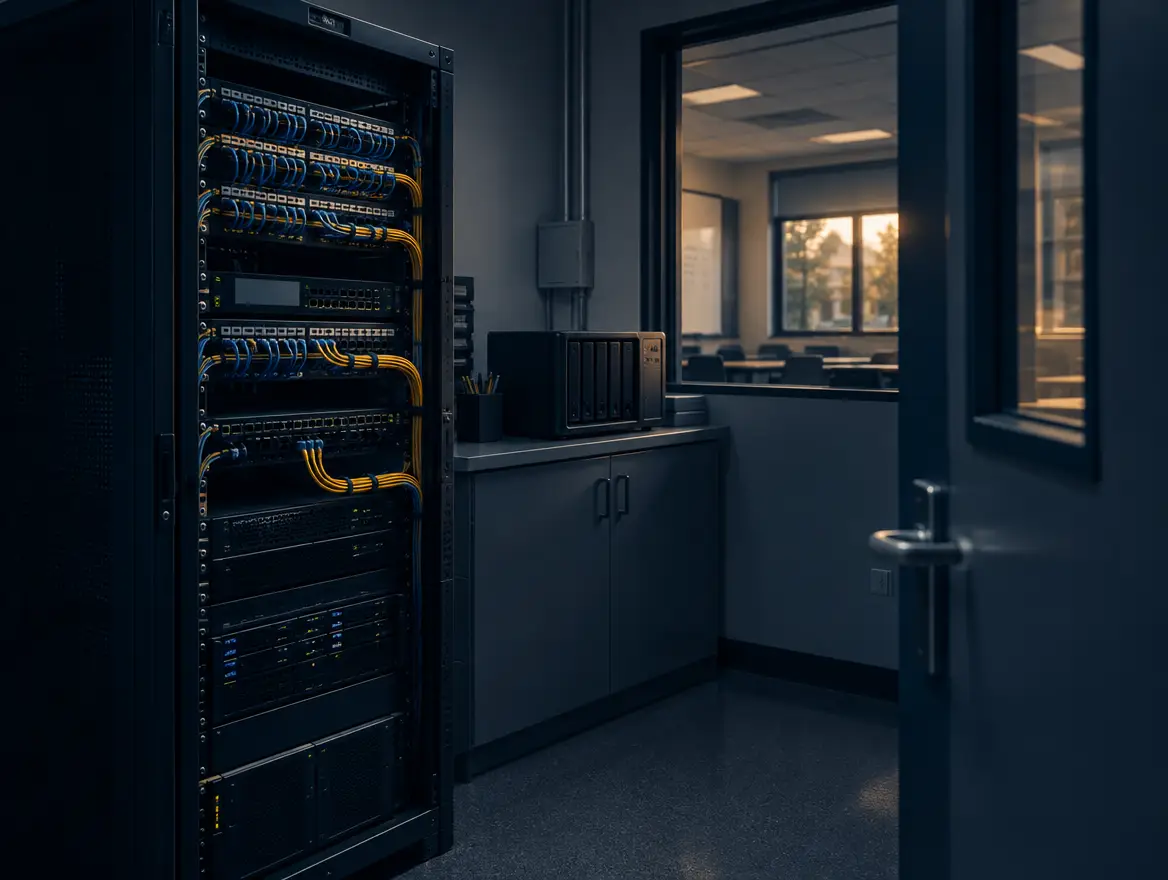
Four controls cut the cost most: multi-factor authentication, tested backups, regular patching and an incident response plan that everyone has read. They sit within the ASD Essential Eight and address how incidents typically begin and how long they last. They are the boring stuff, done properly, and they matter more than any new tool.
The order matters too. We think of cyber security as four disciplines in sequence: assess, protect, detect and recover. The four controls below sit mostly in protect and recover, and the worksheet above is your assess step. For the wider framework, see our guide to the Essential Eight for independent schools.
Multi-factor authentication
Stolen or guessed passwords are a common way in. MFA means a password alone is not enough. Turn it on for staff email and remote access first, then for administrators, then for everyone, including casual and relief staff. Check that it truly covers every account, because partial coverage is how gaps appear on insurance forms.
Tested backups
A backup you have never restored is a hope, not a control. Keep copies that an attacker cannot reach, including an offline or immutable copy. Then test a restore of the systems on your ranked list, and time it. That time is your realistic downtime, and it is the single biggest driver of lost teaching days.
Patching
Attackers use known weaknesses in software that has not been updated. Keep operating systems, applications and internet-facing devices current, and prioritise anything exposed to the internet. Managed patching removes the dependence on someone remembering, which is the reason it works in schools with small IT teams.
An incident response plan everyone has read
A plan in a drawer does not help at 6am. The plan should name who decides, who calls the insurer, who speaks to families, and where the offline contact lists are. Walk the leadership team through it once a year, as a short tabletop exercise. Everyone who has a role should have read it before they need it.
If you want to see how we approach this work for education clients, our cyber security for schools page sets it out.
Where should a school start?
Start with a clear picture of where you are. A free school IT health check looks at your network, security, backups and support arrangements, and gives you a ranked list in plain business language. Nothing is sold through fear, and if something is fine, we say so.
If you want to see where you stand, book a free school IT health check. If you would like a quicker first look at your security position, the schools Security Check is a good place to begin. Either way, bring your worksheet. It makes the conversation much more useful.
The cost nobody budgets for: the teacher test
My view, after years of looking after schools, is that we measure these events in the wrong unit. Boards and councils are shown threat counts and dollar averages, and they nod. What they feel is a lesson that did not run. I think the most useful measure of any IT decision, and of any incident, is minutes of teaching lost.
That is the teacher test, and it changes the conversation. Instead of asking whether a control is worth its cost, ask how many lesson minutes it protects. MFA, tested backups, patching and a rehearsed plan all pass easily. A flashy tool that nobody has time to manage does not.
It is also why I am wary of fear-based selling. A school that is scared buys the wrong thing, or nothing. A school that has ranked its risks in business terms makes calm, sensible choices. We want schools to be safe, not scared.
At one independent school we look after, taking end-to-end responsibility for the network, cyber security and daily support meant staff could return to teaching instead of troubleshooting. That is the outcome I care about. We measure ourselves on your quiet weeks, the ones where nobody in the staffroom talks about IT because it simply works. Real people, not a ticket queue, and a partner who owns the outcome, not just the ticket.
References
- Australian Signals Directorate (ASD), Annual Cyber Threat Report (latest edition), cyber.gov.au
- Office of the Australian Information Commissioner (OAIC), Notifiable Data Breaches
- OAIC, About the Notifiable Data Breaches scheme
- Australian Cyber Security Centre (ACSC), Essential Eight
Free download
The School IT & Cyber Readiness Checklist
Twelve points, ten minutes with a highlighter, and you know exactly what to fix first.
Frequently asked questions
How much does a cyber incident cost a school in Australia?
There is no single figure for schools. The ASD Annual Cyber Threat Report publishes average cybercrime costs for businesses by size, and the OAIC reports show how many breaches the education sector notifies. Use the latest editions for context, then use a worksheet of days of disruption, staff affected, systems to restore and records held to estimate your own exposure.
Does my school have to report a data breach to the OAIC?
If the Privacy Act applies to your school and an eligible data breach is likely to result in serious harm, you must notify the OAIC and affected individuals. If you only suspect a breach, you must assess it within 30 days. Confirm coverage and obligations with your legal adviser.
Does school cyber insurance cover ransomware?
It depends on the policy. Many cyber policies cover restoration, business interruption and legal costs, but terms differ on extortion payments, excesses and conditions. Ask your broker exactly what is covered, which controls the policy assumes, and who you must call first.
How long does it take a school to recover from a cyber incident?
It depends mainly on your backups and your restore order. A school with tested, isolated backups and a ranked list of systems recovers far faster than one that has never tried a restore. Time a test restore now, and treat that result as your realistic downtime.
What should a school do first in a cyber incident?
Follow your incident response plan. Typically that means isolating affected devices, contacting your IT partner and your insurer's incident line, preserving evidence, informing school leadership and holding off on public statements until you know the facts. If you do not have a plan, writing one is your first job.

Ian Pearce
General Manager, Sales and Services at Southern Cross Computer Systems
Keep reading