
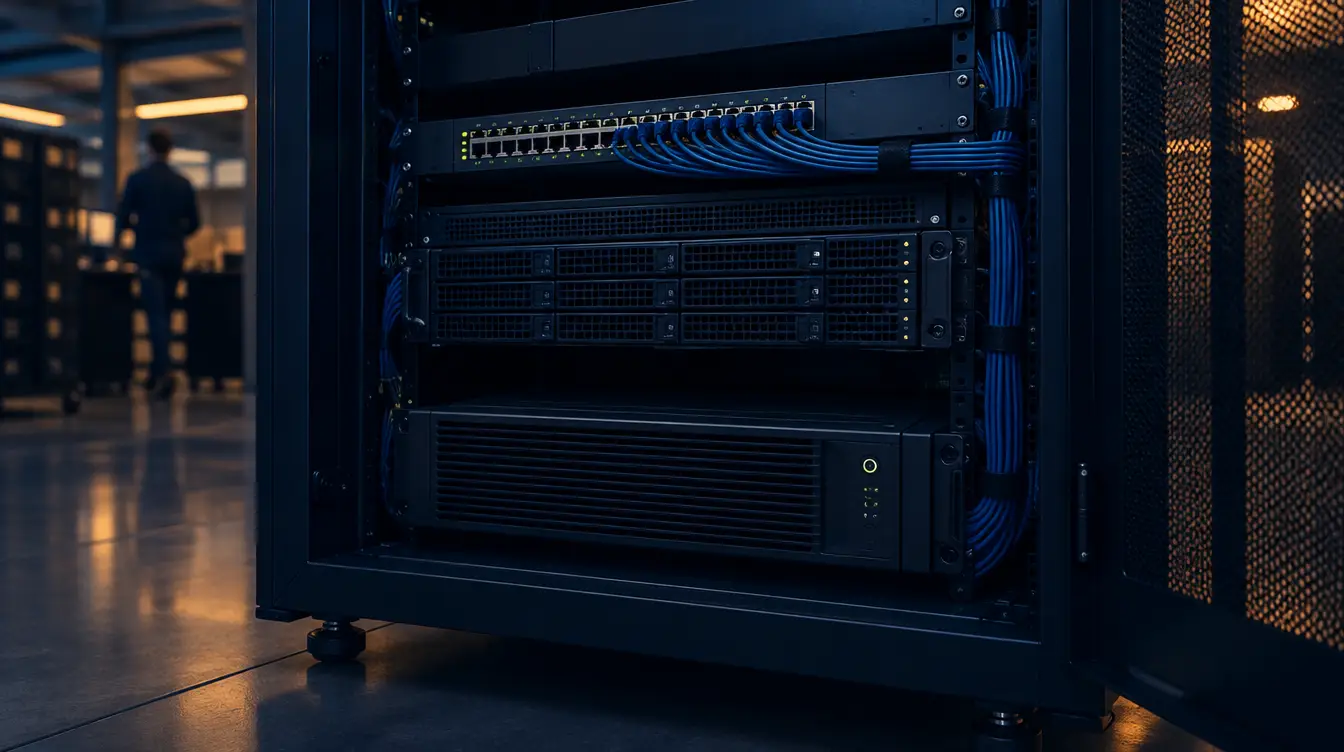
To work out what size UPS you need, add up the watts drawn by every device you will connect, add headroom for growth, then choose a UPS whose watt rating exceeds that total. Check the VA rating too, and pick the runtime and type (line-interactive or online) to suit how long and how cleanly the equipment must keep running.
Most UPS buying mistakes happen before anyone opens a catalogue. People start with a VA number on a box, when the real questions are what the equipment is, what it must survive and what should happen when the power goes. This guide sits within our power protection hub and works through those questions in the order we ask them with clients.
There is no need for alarm here. Mains power in most Australian offices is reliable most of the time, and a UPS is simply the sensible, boring layer that makes a bad moment a non-event. By the end you will know which type fits a desk, a comms cabinet or a server room, how to size one from your own equipment labels, and what to ask before you buy.
Key Takeaways
- Choose the UPS type first. Standby, line-interactive and online (double-conversion) protect against different problems and suit different places.
- Size on watts, not VA. Watts equal VA multiplied by the power factor, so read both ratings on the datasheet.
- Build your load from nameplate labels on your own equipment, then add headroom so the UPS is not run at its limit.
- Decide what runtime is for: riding out a blip, shutting down cleanly, or keeping a network up. Each needs a different battery plan.
- Check form factor and shutdown software before you buy. A UPS that does not fit the cabinet, or cannot shut servers down, has not done its job.
Send us the model, we do the rest
Not sure which UPS, battery or PDU you need?
Tell us the model you have or the room you are protecting. We will match the right unit or replacement battery and come back with a price.
Summary: the three UPS types at a glance
| Type | What it protects against | Where it usually suits | Main trade-off |
|---|---|---|---|
| Standby (offline) | Outages, via a brief switch to battery | A single desk, a home office, non-critical equipment | Least conditioning of the mains between outages |
| Line-interactive | Outages, plus sags and swells corrected without using the battery | Small offices, comms cabinets, small server racks | Output still follows the mains between events |
| Online (double-conversion) | Outages and most mains disturbances, because output is rebuilt continuously | Server rooms, critical applications, sensitive equipment | Higher upfront cost, more heat, usually more energy use |
Which type of UPS suits your equipment?
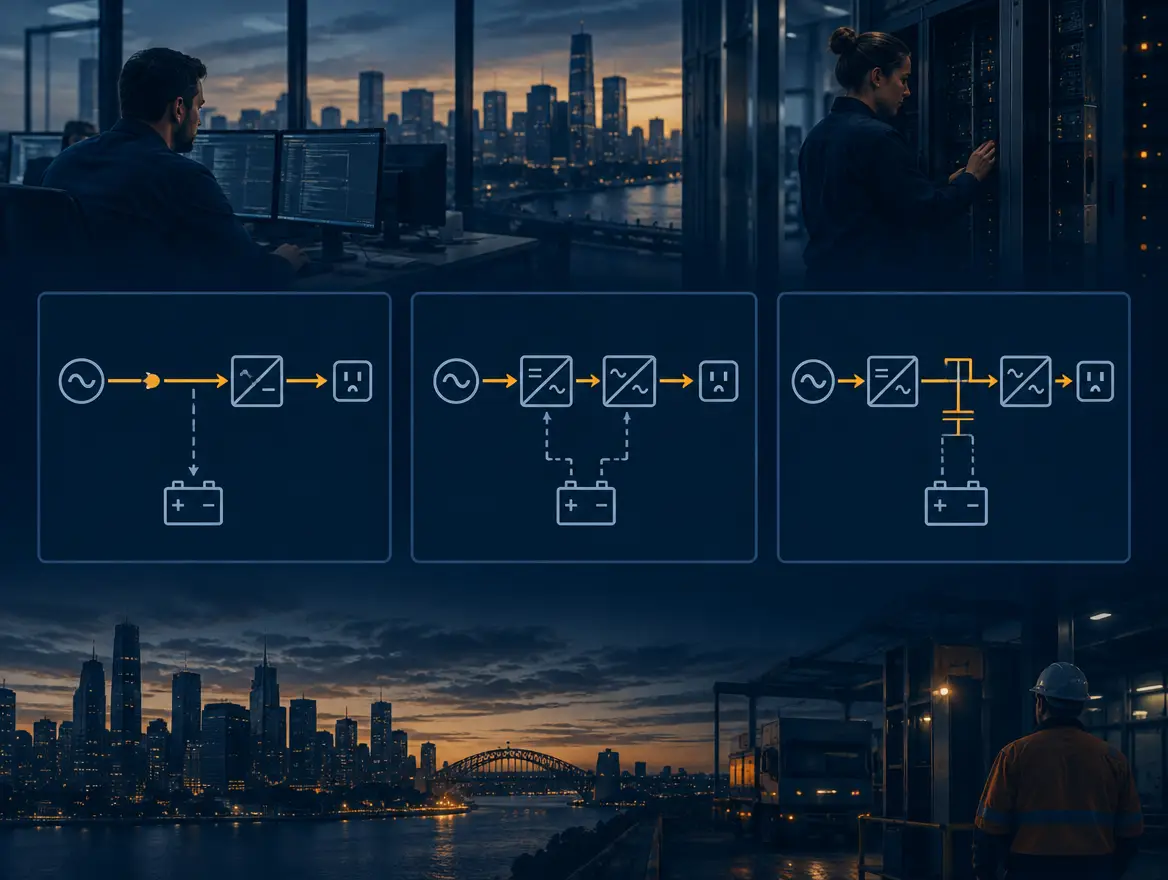
The right UPS type depends on how much the equipment depends on clean power and how costly an interruption is. Standby units suit desks, line-interactive units suit most small offices and comms cabinets, and online double-conversion units suit servers and anything where even a brief disturbance causes harm.
Standby (offline) UPS
A standby unit passes mains power straight through and switches to battery when the supply fails. There is a very short transfer. Most desktop computers and modems tolerate this without issue. It is the simplest and cheapest design, and it fits a single desk where the worst case is losing unsaved work.
Line-interactive UPS
A line-interactive unit adds automatic voltage regulation. When the mains sags or swells, the UPS corrects it without drawing on the battery, which preserves battery life. For a small office, a comms cabinet holding a switch, firewall and NAS, or a small rack, this is usually the sensible middle ground. Our small business UPS range is a good place to start for these environments.
Online double-conversion UPS
An online unit converts incoming AC to DC and back to AC continuously, so the equipment always runs from the inverter output. There is no switchover when the mains fails, and the output is isolated from most mains disturbances. IEC 62040-3, the international standard for UPS performance, classifies UPS designs by how dependent the output is on the input voltage and frequency. Online double-conversion designs fall in the class where the output is independent of both.
That independence costs money, heat and some efficiency. We would not put an online unit under every desk. We would put one in front of servers, storage and anything where a brief disturbance causes corruption or a long recovery.
VA or watts: which rating should you size on?
Size on watts. VA is apparent power, the product of volts and amps, while watts are the real power equipment actually uses. Watts equal VA multiplied by the power factor. Two UPS units with the same VA rating can support different loads, so read both numbers on the datasheet.
This is the single most common source of confusion when people search for a UPS sizing guide. A box that says 1000VA does not mean it will carry 1000 watts. Take a hypothetical unit with a 0.9 power factor: 1000 VA multiplied by 0.9 gives 900 W. That is arithmetic for illustration only, not a claim about any product. The manufacturer's datasheet states the real watt rating for each model, and that is the number to compare against your load.
When a device label shows only volts and amps, multiply them to get VA. That is a conservative figure for real power, which is safe for sizing. If you want a closer number, use the watt figure on the label where one is printed, or measure the device with a plug-in power meter under normal load.
How do you calculate your load in watts?

Calculate load by listing every device the UPS will carry, reading its power figure from the nameplate or power supply label, and adding the values together. Use watts where printed. Where only volts and amps appear, multiply them for VA and treat that as a cautious stand-in.
A UPS should carry only what must stay up. Monitors, desk lamps and personal chargers rarely belong on it. Printers need a specific caution: laser printers draw heavily when their fuser warms up and are generally best kept off a UPS.
Imagine a small comms cabinet. These numbers are invented purely to show the method, so read the real ones off your own equipment:
- Server, power supply label: 450 W
- Network switch: 60 W
- NAS: 80 W
- Firewall: 30 W
- Total connected load: 620 W
A nameplate usually shows the maximum the device can draw, not what it draws day to day. Treating nameplate figures as the load builds in some caution. If you have a power meter, measuring real draw gives a more accurate answer, and it is worth doing once on the server before you commit.
How much headroom should you leave?
Leave enough headroom that the UPS is never running at its limit. Equipment gets added, batteries age and loads spike. A UPS sized exactly to today's total has nowhere to go. Check the manufacturer's guidance for maximum recommended load, and size comfortably below the rated watts.
Continuing the imaginary cabinet, suppose we allow 25 per cent for growth. That figure is an assumption for the arithmetic, not an industry standard, and your vendor's sizing guidance should override it.
- Connected load: 620 W
- Plus 25 per cent headroom: 620 multiplied by 1.25 gives 775 W
- Required watt rating: at least 775 W
- If the shortlisted unit has a 0.9 power factor, the minimum VA is 775 divided by 0.9, which is about 861 VA
In this example a 1000VA-class unit clears the requirement, provided its datasheet confirms a watt rating of at least 775 W. Then check that the UPS input and output connectors match your equipment. Some larger units need a higher-rated outlet or a hardwired connection by a licensed electrician, and the Wiring Rules (AS/NZS 3000) govern that work.
How much runtime do you need?
Runtime depends on what the battery is there to achieve. Riding through a brief blip needs seconds, a clean shutdown needs minutes, and keeping a network or application running through an extended outage needs a much larger battery or a generator. Decide the goal first, then size the battery.
In our experience the three goals get mixed up, and that is where cost blows out.
Riding out a blip. Most disruptions are short. A standard battery covers these, and most of the value of a UPS is delivered here.
Clean shutdown. The battery must hold long enough for servers and storage to close files and power off in order. This is the most common goal for a small or mid-sized organisation, and it is a modest runtime if shutdown software is configured properly.
Keeping a network up. If phones, point-of-sale or a ward need to stay online for an extended period, a battery alone becomes expensive and heavy. At that point the conversation is about a generator or a second site, with the UPS bridging the gap while it starts.
Runtime falls as load rises and the relationship is not linear, so read the manufacturer's runtime chart for the model at your actual load rather than dividing watt-hours by watts. APC publishes a UPS selector tool for this, and most vendors provide an equivalent. For longer runtime, check whether the model accepts an external battery pack, as the APC Easy UPS SRV 1000VA with external battery pack does. Always read the datasheet for the runtime of any specific configuration.
Line-interactive or online: which do you actually need?
Choose line-interactive when the equipment tolerates a brief switchover and the mains is reasonably stable. Choose online double-conversion for servers, storage and sensitive equipment, or where power quality is poor. The question is how costly a disturbance is, not how large the equipment is.
A useful test is to ask what happens if the supply sags for half a second. If the answer is a flicker on a screen, line-interactive is plenty. If the answer is a database that needs recovering, online earns its cost. The online versus line-interactive UPS decision is really a question about consequences.
Online units also tend to suit environments where generator power is in the picture, because the double-conversion stage presents a clean output even when the input is less than ideal. For examples of online units in our catalogue, see the APC Easy UPS On-Line SRV 1000VA RM and the SRV model with external battery pack linked above. We supply both APC and Eaton units, and the same sizing method applies to either.
Tower or rack mount: does it fit where it has to go?
Choose a rack mount UPS if the equipment lives in a 19-inch cabinet, and a tower if it sits on a floor or shelf. Check the rack units it occupies, the depth against your cabinet, the weight, and whether rails are included, before the size of the battery.
A rack unit, written 1U, is the standard vertical measure of rack space. Rack UPS units are specified in U, and the heavy battery means they belong low in the cabinet. Depth catches people out. A rack UPS can be deeper than the servers above it, and a shallow comms cabinet may not take it at all. Measure usable depth, including cable bend space at the rear.
Also confirm airflow and how the UPS will be cooled. Online units generate more heat, so a closed cabinet with no ventilation can shorten battery life. If the space is a cupboard, tell your supplier before you order, not after.
Do you need shutdown software?
Yes, for anything that holds data. A UPS with no connection to the equipment can only supply power until the battery runs out. Shutdown software or a network management card tells servers to close cleanly before that point, which is what turns minutes of battery into a safe outcome.
The setup is simple but easy to skip. The UPS reports mains loss to a management card or agent, which triggers a graceful shutdown on each connected host at a threshold you set. For virtualised environments, order matters: virtual machines first, then hosts, then storage. Test it on a schedule, because a shutdown routine that has never been run is a guess.
We have seen the importance of this on large builds. When SCCS designed and supported a data centre and continuity environment for a government team, the outcome was resilience its auditors could sign off. Documented, tested assumptions, power included, are a large part of what makes that possible.
Size for the outage you will have, and the battery you will own
Our position is that the box is the easy part. A UPS is a battery that needs looking after, and the lifecycle is the work: sizing it, installing it, testing it, replacing the battery on time and retiring the unit safely.
Most sizing advice stops at the purchase. We think that is where the real risk starts. Batteries are consumable, and their capacity falls with age and heat. A UPS that gave a comfortable runtime on day one can quietly deliver far less in a few years, and nobody notices until the night it matters. The vendor's documentation states the expected battery life under stated conditions, and that is the date to put in a calendar.
There are two habits we would encourage.
- Size for today, plan for replacement. Write down the load, the assumptions and the intended runtime, so whoever inherits the cabinet can check them.
- Do not default to online everywhere. It is tempting to specify the highest-grade unit for every location to be safe. A line-interactive unit at a desk and an online unit at the servers is usually the better use of budget, with spend where a disturbance does real harm.
That is how we approach most infrastructure: for organisations that want to be safe, not scared. If a standby unit is enough, we say so. The boring stuff, done brilliantly, forever, is what keeps the quiet weeks quiet.
Next step
If you would like a second pair of eyes on your sizing, send us your equipment list or cabinet photos and we will work through it with you, including type, watt rating, runtime and form factor. You can request a quote on our power protection page. Real people, not a ticket queue, will come back to you.
References
- IEC, IEC 62040-3: Uninterruptible power systems (UPS), method of specifying the performance and test requirements (check for the current edition)
- APC by Schneider Electric Australia, UPS selector and product documentation
- Eaton Australia, UPS product documentation
- Standards Australia, AS/NZS 3000 Electrical installations (Wiring Rules), current edition
Three minutes, no email needed
Where does your organisation actually stand?
Ten plain-English questions about the things that decide most breaches. Your result on screen straight away, and a free security audit if it turns up gaps.
Frequently asked questions
What size UPS do I need for a computer?
Add the watts drawn by the computer and any other device you plan to protect, add headroom, and choose a UPS with a watt rating above the total. A single desktop is usually a small load, but read the power supply label on your own machine and do not guess.
What is the difference between VA and watts on a UPS?
VA is apparent power (volts multiplied by amps). Watts are real power. Watts equal VA multiplied by the power factor, so a UPS rated at a given VA can usually carry fewer watts. The datasheet shows both, and the watt rating is the number to size against.
Is an online UPS better than a line-interactive UPS?
Online double-conversion gives the cleanest output and no switchover, so it suits servers and sensitive equipment. It costs more and runs warmer. Line-interactive corrects sags and swells and suits most desks, comms cabinets and small offices. Better depends on the cost of a disturbance.
How long will a UPS run my equipment?
It depends on the load and the battery. Runtime falls as load rises, and not in a straight line, so use the manufacturer's runtime chart at your actual load. For longer runtime, look at models with external battery packs, or plan for a generator.
Can I plug a laser printer into a UPS?
It is generally not recommended. Laser printers draw a large burst of power when the fuser heats, which can overload a UPS sized for computers and network equipment. Keep printers on a separate surge-protected outlet unless the UPS manufacturer says otherwise.

Ian Pearce
General Manager, Sales and Services at Southern Cross Computer Systems
Keep reading

school device leasing
Buy, lease or Device-as-a-Service: refreshing school devices
16 min read

FortiCare vs FortiGuard
FortiCare and FortiGuard explained: the Fortinet licences you actually need
15 min read

Microsoft 365 A3 vs A5 for schools
Microsoft 365 for schools: A1, A3 and A5 in plain English
16 min read