
FortiCare is Fortinet's support and hardware replacement contract: it covers access to Fortinet's support team and replacement of a faulty appliance. FortiGuard is the set of security subscriptions, such as intrusion prevention, antivirus and web filtering, that keep a FortiGate's protection current. In short, FortiCare keeps the box supported and FortiGuard keeps it protecting.
Most Fortinet quotes arrive as one line per firewall, with a bundle name that means little until something goes wrong. If you look after IT, operations or budgets at an Australian school or mid-sized business, it pays to know what sits behind that line. This article is part of our cyber security guidance, and it explains the two licence families in plain business terms.
We will cover what each one does, how Fortinet bundles them for FortiGate, what happens when one lapses, and what most schools and mid-sized organisations need compared with what is optional. Bundle and tier names are as Fortinet has published them. Fortinet renames and reshuffles them from time to time, so treat its current datasheet as the authority before you sign anything.
Key Takeaways
- FortiCare is about support and hardware replacement. FortiGuard is about security content and cloud lookups that keep protection current.
- A FortiGate with no active FortiGuard subscription keeps passing traffic, but its protection ages quietly. Nothing looks broken, which is the risk.
- Fortinet sells FortiGuard services individually and in bundles that build on each other. The bundle usually includes a FortiCare tier.
- Co-terming (aligning expiry dates across a fleet) turns several renewal events into one and removes accidental lapses.
- Hardware and subscriptions are quoted together because contracts attach to the appliance serial number and its lifecycle dates.
- Most schools and mid-sized businesses need solid support, core threat protection and web filtering. Many top-tier extras are optional.
Three minutes, no email needed
Where does your organisation actually stand?
Ten plain-English questions about the things that decide most breaches. Your result on screen straight away, and a free security audit if it turns up gaps.
Summary Table
| Question | FortiCare | FortiGuard |
|---|---|---|
| What is it? | Support and hardware replacement entitlement | Security service subscriptions |
| What does it answer? | Who helps me, and who replaces the unit if it fails? | Is my firewall recognising current threats and sites? |
| Attached to | The appliance (by serial number) | The appliance (by serial number) |
| Sold as | Tiers, with names Fortinet changes over time | Individual services or bundles |
| If it lapses | Support and replacement entitlement ends; traffic still flows | Updates and cloud lookups stop; protection goes stale |
| Who needs it | Every production firewall | Every firewall doing inspection, filtering or threat prevention |
| Common mistake | Choosing the lowest tier for a site that cannot tolerate downtime | Letting one device expire while others are renewed |
What is FortiCare, and what does each tier cover?
FortiCare is the support layer of a Fortinet contract. It gives you access to Fortinet's technical support and a hardware replacement entitlement if an appliance fails. Fortinet sells it in tiers, and the tier decides how quickly you get help and how fast a replacement unit arrives.
As published on Fortinet's support services pages, the current tiers are named Essentials, Premium and Elite. Earlier naming was different (older quotes still refer to 8x5 and 24x7 FortiCare), which is exactly why quotes from different years are hard to compare.
What is FortiCare Premium?
FortiCare Premium is the standard business tier. It provides round-the-clock technical support and an advanced hardware replacement entitlement, so a replacement can be sent without waiting for the faulty unit to come back first. Fortinet also sells faster replacement options in some regions. Ask for the Australian options in writing, because availability and response targets vary by country and product.
Where Essentials and Elite fit
Essentials is aimed at smaller appliances and sites where limited support and basic replacement are an acceptable trade. Elite adds faster handling and a priority path to Fortinet's support team, which matters if you have a small internal team and a large estate. Fortinet's support services datasheet sets out exactly what each tier includes for your model. I would not rely on a summary written by anyone else, including us.
What is FortiGuard, and which services does it include?
FortiGuard is Fortinet's security subscription family. Fortinet's FortiGuard Labs research team publishes the threat intelligence, and your FortiGate receives it as signatures, ratings and cloud lookups. Without an active subscription, the firewall hardware works but cannot learn about new threats.
The services you will see named in quotes include:
- Intrusion prevention (IPS): signatures that detect and block attempts to exploit known vulnerabilities.
- Antivirus and AI-based malware prevention: scanning of files and traffic for known and emerging malware.
- Application control: identifying and managing applications regardless of port.
- Web filtering and DNS filtering: categorising websites and domains so you can allow, block or monitor them.
- Anti-spam, DLP and sandboxing: content and data controls, and analysis of suspicious files in a cloud sandbox, available in higher bundles or as add-ons.
- IoT and operational technology services, and security rating: device identification and posture reporting, mostly in the top bundle.
The services that matter most to you depend on what the firewall is protecting. A school leans on web filtering and application control. A professional services firm leans on IPS, antivirus and data controls.
FortiCare vs FortiGuard: what is the actual difference?
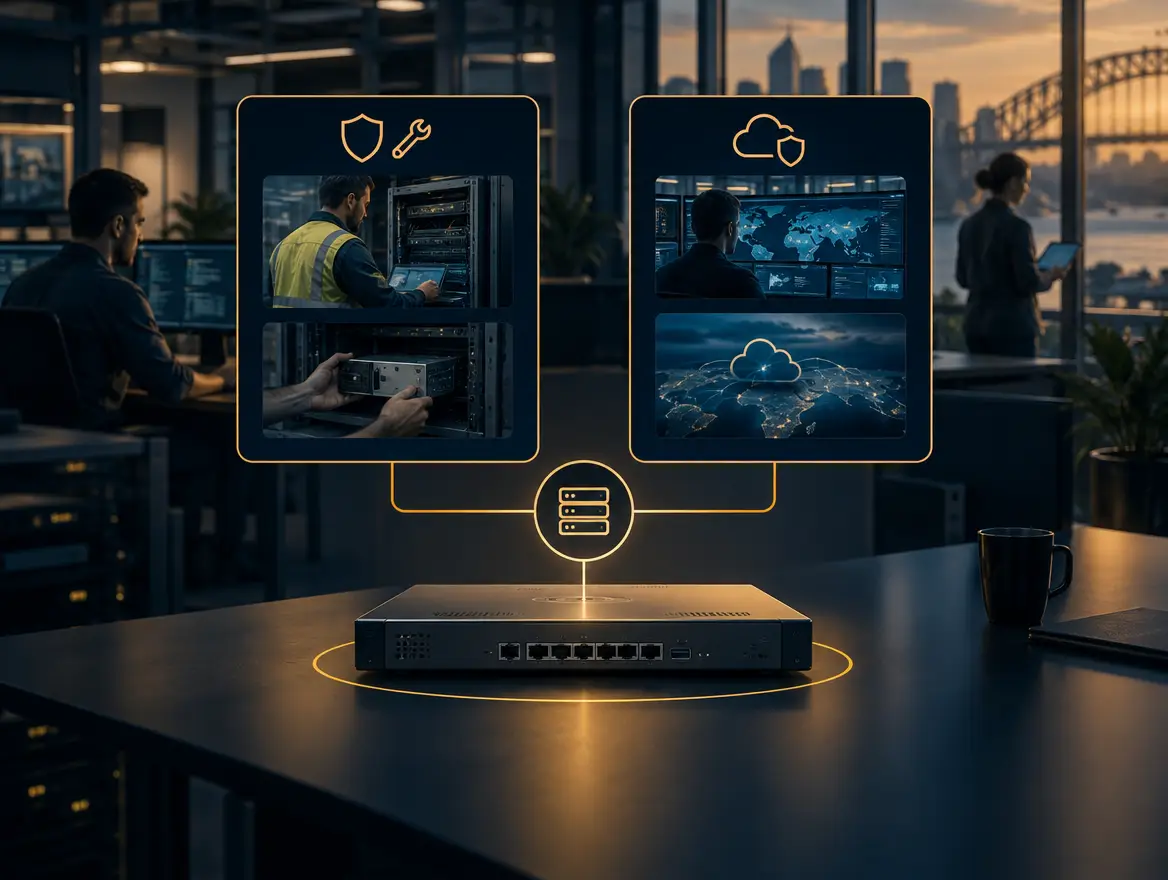
FortiCare covers the device and your access to Fortinet's people. FortiGuard covers the security content the device uses to make decisions. You can have a perfectly supported firewall that is blind to new threats, or a well-protected firewall with no replacement plan when the power supply fails.
Think of it in terms of the question each one answers:
- FortiCare: if this firewall fails at 6am on a Monday, what happens?
- FortiGuard: if a new exploit is published this week, will this firewall recognise it?
We describe cyber security as four disciplines in order: Assess, Protect, Detect, Recover. FortiGuard sits mostly in Protect and Detect. FortiCare sits mostly in Recover, because it decides how quickly you get back to a working network. Neither replaces the Assess step, which is knowing what you have and what matters before you buy.
How does Fortinet package FortiCare and FortiGuard for FortiGate?
Fortinet sells FortiGate hardware with a choice of FortiCare-only support or one of several FortiGuard bundles. The bundles build on each other, so each step up adds services to the one below. Each bundle normally includes a FortiCare tier, which is why you see one price rather than two.

The bundle names Fortinet has published for FortiGate include the following. Fortinet has changed these names before, so check the current datasheet.
| Bundle (as published by Fortinet) | How it builds | Typically suits |
|---|---|---|
| Hardware with FortiCare only | Support and replacement, no FortiGuard security services | Labs, spares, or sites where inspection is handled elsewhere |
| Advanced Threat Protection | Core threat prevention such as IPS and malware protection | Sites that need strong core protection without content controls |
| Unified Threat Protection | Adds web, content and email-related services to the above | Schools and mid-sized businesses managing user browsing |
| Enterprise Protection | Adds broader services such as device identification and extra security services | Larger or more regulated estates |
| SMB Protection (smaller models) | A bundle Fortinet positions for smaller appliances | Small sites running entry-level FortiGates |
Two cautions apply. First, the same bundle name can include different items on different model families, so read the datasheet for your exact model. Second, virtual and cloud FortiGates can be licensed differently, including through Fortinet's flexible consumption licensing (FortiFlex). If you run a mix of physical and virtual, ask for each to be quoted and explained separately.
This is what we mean by building blocks, not packages. A bundle is a convenient starting point. It is not automatically the right answer for every site.
What happens when a FortiGuard or FortiCare subscription lapses?
When a FortiCare contract lapses, the firewall keeps running but you lose support and your replacement entitlement. When a FortiGuard subscription lapses, updates and cloud lookups stop. The firewall keeps forwarding traffic, but the protection it applies ages every day, and nothing on a casual glance shows it.
The practical consequences are:
- No updates. IPS, antivirus and application signatures stop refreshing. Existing signatures stay in place, but they will not cover new exploits.
- Cloud lookups stop answering. Services that depend on Fortinet's cloud, such as web filtering ratings, behave according to how the profile is configured when a rating cannot be obtained. Depending on that setting, sites are blocked or allowed. Either can surprise users or weaken a policy.
- No replacement path. If hardware fails after FortiCare ends, you are buying a new unit, not claiming a replacement.
- A licence status warning. FortiOS reports licence status, and the Fortinet Document Library describes how it behaves. Few teams watch for it.
The most common lapse is not a decision. It is a renewal that nobody owned. That is the part worth designing out, and it leads to co-terming.
Why should licence terms be co-termed across a fleet?
Co-terming means aligning every contract in a fleet to expire on the same date. It replaces several staggered renewals with one planned event, one budget line and one review. It also makes accidental lapses far less likely, because there is only one date to remember.
Imagine a mid-sized organisation with a head office firewall, three branch firewalls and a pair at a data centre, all bought at different times. Without co-terming it has five renewal dates scattered across two financial years. Someone has to track each one, and a missed date leaves one site unprotected while the rest look fine.
Co-terming fixes that, and for schools it also lets you align renewals with the budget cycle. Fortinet's customer portal includes tools for managing and aligning contracts across registered assets. Your partner should handle the alignment when you add or renew a device.
There is a trade-off. Co-terming a new device to an existing date can mean paying for a shorter or odd-length term on that device. That is often still the right choice for a fleet you manage as a whole. Ask for the term lengths to be shown clearly in the quote so there are no surprises.
Why are hardware and subscriptions usually quoted together?
Hardware and subscriptions are quoted together because Fortinet contracts attach to the appliance serial number, and the term you choose at purchase shapes the whole ownership period. Buying the box first and the licences later invites gaps, mismatched terms and the wrong bundle.
There are three practical reasons:
- Registration. Contracts are registered against the serial number. Ordering them together means the unit arrives with the right entitlements and a start date you have planned for.
- Lifecycle. Fortinet publishes product life cycle dates, including when a model stops being sold and when it stops being supported. A long subscription on a model nearing end of support is poor value, and you should see the dates before you choose a term.
- Comparison. Two quotes with the same hardware but different bundles and terms are not comparable until you line them up. A single combined quote makes the real total cost visible.
This is a view we hold firmly: devices are the easy part, and the lifecycle is the work. As a Fortinet partner, SCCS quotes hardware and licences together for that reason. You can see how we work on our Fortinet page, and renewals and add-ons sit with our Fortinet software licensing offer.
What does a school or mid-sized business typically need, and what is optional?
Most schools and mid-sized organisations need three things: a FortiCare tier with a replacement time they can live with, a FortiGuard bundle covering core threat prevention, and web filtering if they manage user browsing. Everything beyond that should earn its place against a specific risk.
Usually needed
- A FortiCare tier, often Premium, for any firewall the organisation cannot run without.
- Core protection: IPS, antivirus and application control.
- Web filtering, particularly for schools, where managing student browsing is part of looking after students.
- Co-termed terms across the fleet and a single owner for renewals.
Often optional
- The top bundle's extras, unless you have operational technology, IoT sprawl or a compliance requirement that uses them.
- Sandboxing and data loss prevention, unless you handle sensitive data in ways that need those controls.
- The highest support tier, unless your internal team is small and your estate is large.
- A spare appliance on its own contract, if your replacement tier and recovery plan already meet your downtime tolerance.
I apply what I call the teacher test. If technology steals a minute of the lesson, it failed. For a school firewall that means the filter works, the network stays up and a failed unit is replaced fast. It does not mean every possible service is switched on. In our work with an independent school, SCCS took end-to-end responsibility for the network, cyber security and daily support. The result was that staff could get back to teaching instead of troubleshooting. That is the standard to measure a licence decision against.
For organisations that want to be safe, not scared, the question is not which bundle is biggest. It is which risks you actually carry, and which services address them. If a smaller bundle is fine, we say so.
Why the renewal date matters more than the bundle name
In our experience the licence is not the hard part of a firewall project. The renewal date is. A well-chosen bundle with an unowned expiry date is worse than a modest bundle that is renewed on time, because protection that quietly stops is harder to see than a decision you made on purpose.
Here is the position I hold, and it is not the usual sales line. Most vendors and resellers lead with the top bundle and the threat landscape. I would lead with an asset register. For every firewall, write down five things: serial number, FortiCare tier, FortiGuard bundle, expiry date, and the named person who owns the renewal. Add the hardware's end-of-support date from Fortinet's lifecycle page. That one page answers most of the questions a Board, Council or auditor will ask.
This matters because auditors want evidence, not intent. When SCCS built and supported a data centre and continuity environment for a government team, the outcome was resilience the team's auditors could sign off. Evidence of current support and current security subscriptions is part of that picture. It is the boring stuff, done brilliantly, forever.
If you want that register built and kept current as part of a wider arrangement, our managed services team does it with real people, not a ticket queue.
Where to start
If you already have Fortinet firewalls, start by listing what you own and when it expires. If you are buying, ask for hardware, FortiCare tier, FortiGuard bundle and term to be quoted together, with co-terming shown.
If you would like a second pair of eyes on either, the Security Check is a good first step. It ranks what we find in business terms, so you know what matters, what can wait and what is already fine. If you are weighing up a Fortinet purchase or renewal, talk to us about our capability and how we would approach your estate. We would rather help you buy the right licence once than explain the wrong one later.
References
- Fortinet, FortiCare and support services
- Fortinet, FortiGuard Labs and security services
- Fortinet, Product life cycle policy and dates
- Fortinet, Document Library (FortiOS administration guides)
- Australian Cyber Security Centre, Information Security Manual
Free download
The School IT & Cyber Readiness Checklist
Twelve points, ten minutes with a highlighter, and you know exactly what to fix first.
Frequently asked questions
What is the difference between FortiCare and FortiGuard?
FortiCare is support and hardware replacement for the appliance. FortiGuard is the security subscriptions, such as IPS, antivirus and web filtering, that keep the firewall's protection current. FortiCare answers who helps you and replaces a failed unit. FortiGuard answers whether the firewall recognises current threats.
What is FortiCare Premium?
FortiCare Premium is Fortinet's standard business support tier. It includes round-the-clock technical support and an advanced hardware replacement entitlement. Tier names and inclusions change, so confirm against Fortinet's current support services datasheet and ask for the Australian replacement options in writing.
Does a FortiGate still work if FortiGuard expires?
Yes, it keeps passing traffic and applying its configuration. However, signature updates and cloud lookups stop, so protection ages over time. Services such as web filtering depend on cloud ratings and behave according to how the profile is configured when a rating cannot be retrieved.
Do I need the Enterprise Protection bundle?
Not always. Many schools and mid-sized businesses are well served by a core threat protection bundle with web filtering. The top bundle adds services that matter when you have specific needs such as IoT or operational technology visibility, or a compliance requirement. Match the bundle to your risks, not to the name.
How long should we buy licences for?
Match the term to the hardware's expected working life, Fortinet's published life cycle dates and your budget cycle. Then co-term across the fleet so there is one renewal date. Avoid a long term on a model that is close to end of support.

Ian Pearce
General Manager, Sales and Services at Southern Cross Computer Systems
Keep reading

how to choose a cyber security consultant
How to choose a cyber security consultant, and what to ask them
16 min read

Australian cybersecurity statistics
Australian Cybersecurity Statistics 2026: Key Trends and Benchmarks
14 min read

Microsoft 365 A3 vs A5 for schools
Microsoft 365 for schools: A1, A3 and A5 in plain English
16 min read