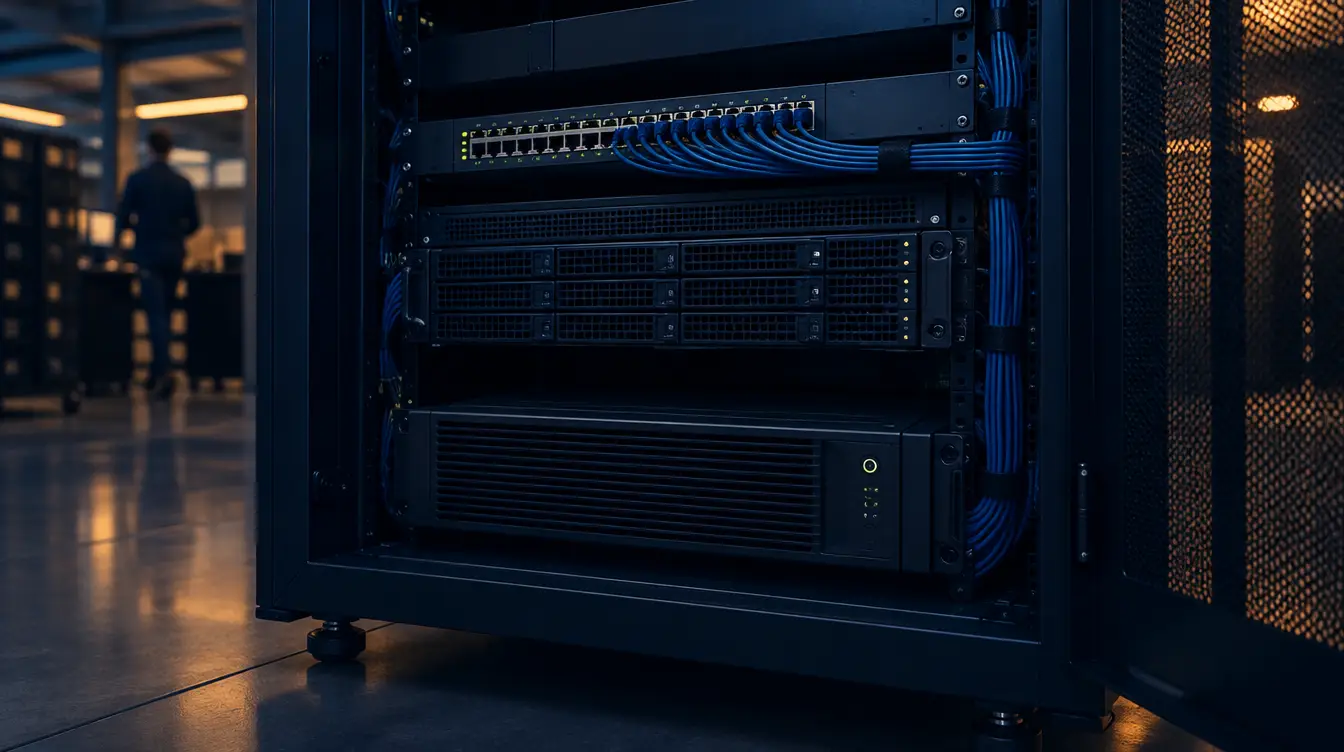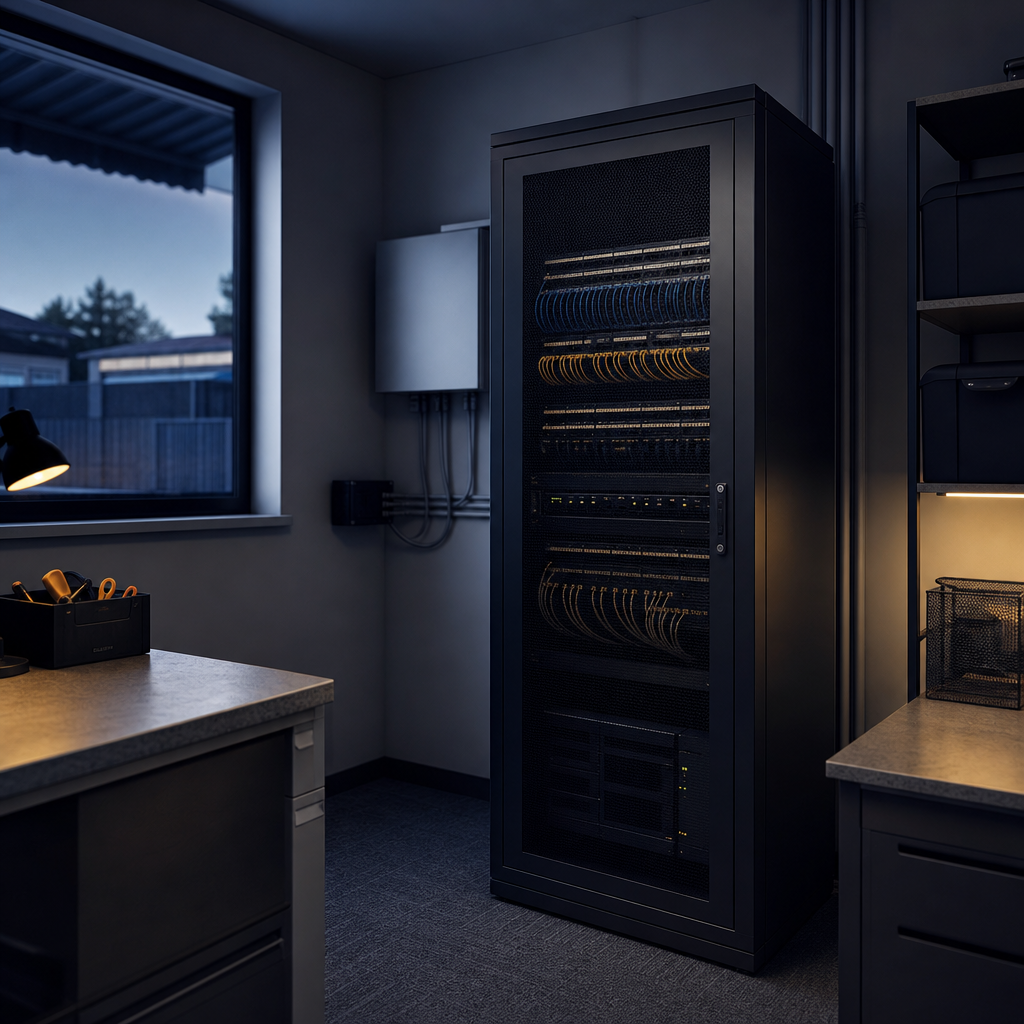

The main rack PDU types are basic, metered, metered-by-outlet and switched. Basic units only distribute power. Metered units show load at the inlet or each outlet. Switched units add remote on and off control per outlet. Choose by what you need to know and control, then match the inlet, outlets and mounting to your site.
The rack PDU is one of the least discussed parts of a rack and one of the longest lived. Servers get refreshed, but the PDU often stays put. This article sits within our power protection guidance. It explains how to choose between rack PDU types without paying for features you will never use.
The wrong choice usually shows up in one of three ways: a tripped breaker nobody saw coming, a site visit to reboot one hung device, or no clear idea of how much capacity is left. Below we cover the four types, supply and inlet options in Australia, C13 and C19 outlets, mounting and monitoring. It is written for IT managers, operations leads and finance leads who need to make a sound decision without becoming electrical engineers.
Key Takeaways
- A basic PDU distributes power and nothing more. It suits stable, low-risk racks with someone on site.
- A metered PDU shows you the load. For most business racks it is the sensible default, because you cannot plan capacity you cannot see.
- A switched PDU adds remote outlet control. Buy it where remote recovery or controlled start-up has a real purpose, not everywhere.
- The PDU inlet must match the circuit. New circuits and outlets are licensed electrician work in every Australian state and territory.
- Match C13 and C19 outlets to the power supplies you actually have, and leave spare outlets for growth.
- Network monitoring is only useful if someone is named to receive the alerts and act on them.
Send us the model, we do the rest
Not sure which UPS, battery or PDU you need?
Tell us the model you have or the room you are protecting. We will match the right unit or replacement battery and come back with a price.
Summary Table
| PDU type | What it does | Best suited to | Main trade-off |
|---|---|---|---|
| Basic | Distributes power to outlets | Comms cupboards, branch racks, stable loads | No visibility of load |
| Metered (inlet) | Reports total load on the PDU | Most business racks and capacity planning | Cannot show which device uses what |
| Metered-by-outlet | Reports load for each outlet | Attributing power to equipment or tenants | Higher cost, more to configure |
| Switched | Remote on, off and reboot per outlet | Remote sites, controlled start-up | Adds a networked device to secure and maintain |
What are the main rack PDU types?
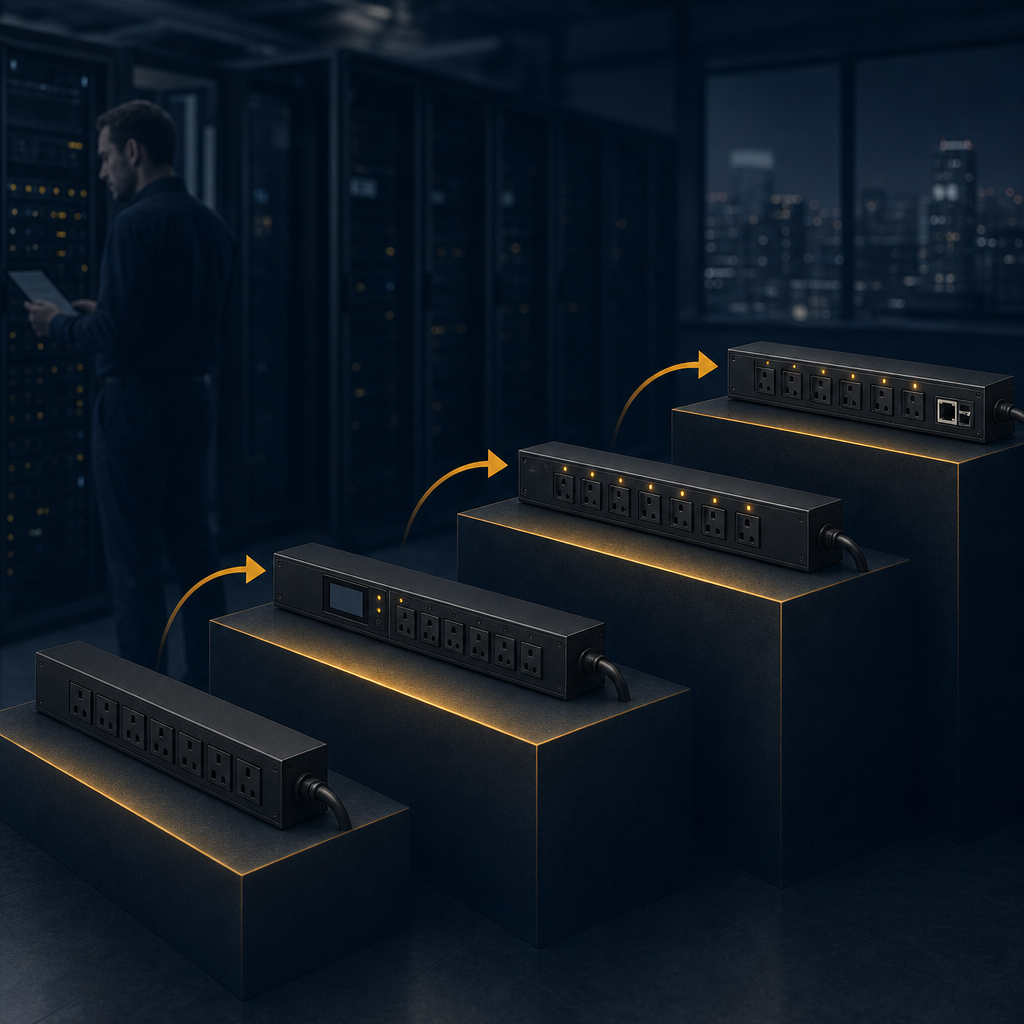
Rack PDU types fall into four groups. Basic units distribute power with no measurement. Metered units report load at the inlet, so you can see what the whole PDU draws. Metered-by-outlet units report each outlet separately. Switched units let you turn individual outlets on and off remotely, usually with metering included.
Vendors name these classes in slightly different ways, and some sell hybrids such as switched units with outlet-level metering. APC, for example, organises its range along broadly these lines in its product documentation. The names matter less than the questions behind them: do you need to see the load, and do you need to control it?
A useful way to think about it is as a ladder. Each step adds capability and adds something to manage. A basic PDU has nothing to configure. A metered PDU may have a display and a few alarm thresholds. A switched PDU has a network interface, user accounts, firmware and a place in your security model. Climb only as far as the job requires.
When is a basic PDU enough?
A basic PDU is enough when the load is stable, the equipment is not critical to remote recovery and someone can reach the rack. A comms cupboard with switches and a patch panel is the classic case. It has the fewest parts to fail and needs no network port.
The limitation is blindness. With a basic PDU you cannot see how close you are to the breaker rating. Someone adds a server, then another, and the first sign of trouble is a circuit tripping. In a small rack with a known, fixed list of equipment, that risk is manageable. In a rack that changes, it is not.
The APC AP6003A basic half-height rack PDU is a good example of the category. Going by the product title, it is a half-height unit with 14 C13 outlets and a rating that differs by voltage: 20A at 100-240V and 16A at 220-240V. That detail is worth noticing. The same PDU can carry a different rated current depending on the supply voltage, so read the datasheet against your actual Australian supply, not the headline number.
When does a metered PDU earn its place?
A metered PDU earns its place when you want to plan capacity from evidence rather than nameplate guesses. Inlet metering shows the current drawn by the whole PDU. Outlet metering shows each device. Either way, you stop guessing how much headroom a circuit has.
Inlet metering is the right default for most business racks. It answers the questions that matter: how close are we to the limit, and is the load balanced between the A and B feeds? A local display is useful for the technician standing at the rack. Network reporting is useful for everyone else.
Outlet-level metering is a different tool. It tells you which device draws what, which helps when you host equipment for another department, a tenant or a customer, or when finance wants to attribute power costs. It also helps spot a failing power supply, which often shows up as a change in draw. Check the vendor datasheet for the stated measurement accuracy. Do not assume a PDU's readings are suitable for billing unless the vendor says so.
From a finance point of view, metering is a small addition that makes later decisions cheaper. Knowing real draw lets you defer a new circuit, or justify one, with numbers in hand.
When do you need a switched PDU?
You need a switched PDU when someone must be able to turn an outlet off, on or back on without visiting the rack. Remote sites are the obvious case. Others include controlled start-up order and locking out unused outlets so nobody plugs in something unplanned.
The most common use is the remote reboot. A device hangs, nobody is on site, and a power cycle fixes it. That is valuable at a regional office or an unattended comms room. Before paying for it, check whether the device has its own out-of-band management. Many servers do, and that may cover the need.
Sequenced start-up is the second use. After a power event, switched PDUs can bring outlets up in order, so equipment does not all draw its start-up current at once. Your vendor documentation will describe how delays are configured.
The cost is that a switched PDU is a networked device. It needs a management address, strong credentials, firmware updates and a place on a management network, not the general user network. Treat it like any other infrastructure device. If you want to see what the category looks like, the APC NetShelter Rack PDU Advanced Switched 1P is a representative single-phase example. Confirm outlet counts and inlet type on the product page before you specify it.
Which supply and inlet options suit an Australian site?
In Australia, small rack PDUs plug into a 10A or 15A general-purpose socket-outlet, while denser racks usually use 16A or 32A industrial plugs on a dedicated circuit. The PDU inlet must match the circuit it connects to, and any new circuit must be installed by a licensed electrician.
The table below summarises the common options.
| Supply or inlet | Where you typically meet it | Source |
|---|---|---|
| 10A plug and socket-outlet | Small racks and comms cupboards on general power | AS/NZS 3112:2017 |
| 15A plug and socket-outlet | Higher-draw units on a general circuit; a 15A socket-outlet also accepts 10A plugs | AS/NZS 3112:2017 |
| 16A industrial plug | Dedicated single-phase rack circuits | IEC 60309-1 |
| 32A industrial plug | Higher-density racks on a dedicated circuit | IEC 60309-1 |
Two practical points follow. First, a 15A plug will not fit a 10A socket-outlet, so you cannot quietly upgrade a PDU and plug it into the old outlet. Second, Australia also has an industrial plug and socket range under AS/NZS 3123, so confirm on site which style has been installed before you order. Do not assume.
The PDU rating is not the circuit rating. The total load must sit comfortably within both the PDU and the breaker upstream. Do not chain power boards or plug one PDU into another to get more outlets. That is how a tidy rack becomes a fire risk.
Any new circuit, outlet or change to fixed wiring is licensed electrician work. The requirements flow from AS/NZS 3000:2018 (the Wiring Rules) and the rules of your state or territory regulator, which the Electrical Regulatory Authorities Council can point you to. Plugging a compliant PDU into an existing, suitable outlet is a different matter, but if you are unsure whether the outlet and breaker can carry the load, ask your electrician first. Give them the PDU's inlet type, rated current and your expected load, and ask them to label the circuit clearly as A or B.
C13 or C19: how do you choose outlets?
C13 outlets suit most servers, switches and storage. C19 outlets are for high-draw equipment. According to IEC 60320-1 (2021 edition), the C13/C14 coupler is rated for 10A and the C19/C20 coupler for 16A. Check each device's power supply inlet, then choose a PDU with the right mix.
Most IT equipment arrives with a C14 inlet and takes a C13 outlet. Larger items, such as some rack UPS units, blade chassis and high-density servers, use a C20 inlet and need a C19 outlet. Many PDUs offer a mix, which is usually the safest choice if your racks will change.
A short checklist saves rework:
- List every device in the rack, with its inlet type and its rated or measured draw.
- Count outlets by type, then add spare outlets of each type. A PDU with no spare capacity is already obsolete.
- Think about cord length and routing. A cord that stretches across the rack gets pulled out during the next change.
- Use different cord colours, or labels, for the A and B feeds so a technician can tell them apart at a glance.
- Be cautious with adapter cables between C19 and C14. A cable rated for less than the outlet's protection can be a hazard, so follow the vendor's documentation.
The same logic applies to the C13 and C19 PDU choice overall: size by the equipment you have, not the equipment you hope to buy.
Vertical or horizontal mounting?
Vertical (0U) PDUs mount in the side space of a cabinet and keep outlets close to equipment, which suits dense racks. Horizontal (1U or 2U) PDUs use rack space but suit shallow cabinets, wall racks and sites without side channels. Choose by cabinet width, depth and cable routing.
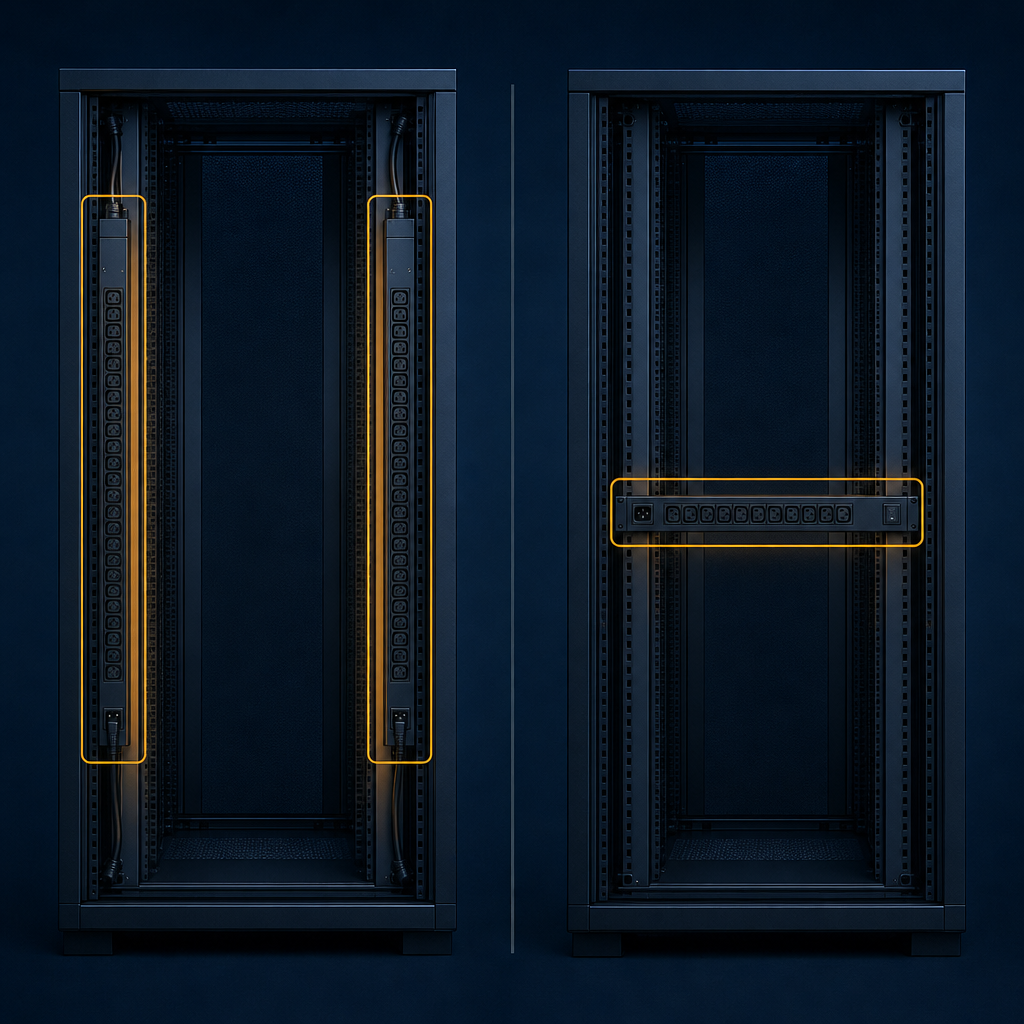
Vertical units keep cords short and leave all the rack units for equipment. They need clearance at the sides of the cabinet. In a narrow rack, cables and PDUs can crowd each other and block airflow or access.
Horizontal units cost you rack space, but they work in small wall-mounted cabinets and older racks. Half-height units, like the APC example above, are a middle path for compact installs.
A few practical checks apply either way:
- Confirm the cabinet's usable depth and width against the PDU's dimensions.
- Mount A and B PDUs on opposite sides where the cabinet allows, so a technician can work on one without disturbing the other.
- Make sure outlet orientation lets you plug and unplug a cord without removing another.
- Keep PDUs out of the path of exhaust airflow where you can.
What should you know about monitoring?
Monitoring means more than a display. Local screens show current at the PDU. Network-enabled models report to a web interface or SNMP, send alerts when thresholds are crossed and can feed your existing tools. Decide who receives alerts, and what they do next, before you buy the capability.
Three questions keep the decision sensible. Who will see an alert? What will they do when they see it? Who looks at the trend over time? If there is no good answer, a local display on a metered unit may be all you need. A feed of alerts that nobody reads is worse than none, because it creates a false sense of cover.
Where you do connect a PDU to the network, set sensible warning thresholds below the point where the breaker would trip, so you have time to act. Many PDUs also accept environmental sensors for temperature and humidity, which is useful in a comms room without its own monitoring.
Security matters here. Change default credentials, place the management interface on a management network, disable protocols you do not use and add the PDU to your firmware review. This is routine hygiene, and it fits the principle we apply to security generally: be safe, not scared. A PDU on a sensible management network is a low-drama asset.
How do you choose, step by step?
Start with the equipment, then the circuit, then the level of visibility and control. This order stops you buying features before you know the requirements. Most decisions take an afternoon with a spreadsheet and a conversation with your electrician.
- List the equipment. Record each device, its inlet type and its draw. This sets your outlet types and count.
- Decide on redundancy. Dual-corded equipment calls for an A and B PDU in each rack, fed from separate circuits where possible.
- Confirm the circuit. Establish what is installed, what it is rated for and whether a new circuit is needed. If it is, engage a licensed electrician.
- Choose visibility. For most business racks, choose at least inlet metering. Add outlet metering only if you will use it.
- Choose control. Pick switched only where remote recovery, sequencing or outlet lock-out has a clear purpose.
- Choose mounting. Match vertical or horizontal to the cabinet and cable routing.
- Document it. Label circuits, PDUs and cords, and record what is plugged where.
The PDU catalogue lets you filter by these characteristics, and our APC range covers the basic, metered and switched classes.
Buy the PDU for the third year, not the first day
Our view is that the PDU is a lifecycle decision, not a box-price decision. Devices are the easy part. The lifecycle is the work. A PDU is small next to the servers it feeds, but it will probably outlast several rounds of them, and replacing one in a live rack can mean an outage window for anything single-corded.
That shapes how we advise. We rarely suggest a basic PDU for any rack that will change, because the cost of knowing your load is low and the cost of not knowing it arrives at the worst moment. We equally rarely suggest switched units across a whole site. Put them where a remote reboot or a controlled start-up solves a real problem, and keep the rest simple. Fewer networked devices means less to patch and less to forget.
We have built and supported data centre and continuity environments for a government team, where the outcome that counted was resilience that its auditors could sign off. In work like that, power distribution is judged on the boring things: A and B feeds that are traceable, circuits that are labelled, and capacity that is measured rather than assumed. The boring stuff, done brilliantly, forever. That is the standard we would apply to a rack of any size.
A practical rule for finance and operations leads: spend a little more on visibility, leave spare outlets, and document the lot. We measure ourselves on your quiet weeks, and a well-chosen PDU is part of what keeps them quiet. If you would like a second pair of eyes on a specification, request a quote and we will talk it through with you.
References
- IEC, IEC 60320-1: Appliance couplers for household and similar general purposes, Part 1: General requirements (2021 edition)
- IEC, IEC 60309-1: Plugs, socket-outlets and couplers for industrial purposes, Part 1: General requirements (check the current edition)
- Standards Australia, AS/NZS 3000:2018 Electrical installations (the Wiring Rules)
- Standards Australia, AS/NZS 3112:2017 Approval and test specification, Plugs and socket-outlets
- Electrical Regulatory Authorities Council, Australian electrical regulators and licensing information
- APC by Schneider Electric, Rack PDU product documentation and datasheets
Three minutes, no email needed
Where does your organisation actually stand?
Ten plain-English questions about the things that decide most breaches. Your result on screen straight away, and a free security audit if it turns up gaps.
Frequently asked questions
What is the difference between a metered and a switched PDU?
A metered PDU measures and reports power load, either for the whole unit or for each outlet. A switched PDU adds the ability to turn individual outlets on, off or back on remotely. Many switched models also include metering, but a metered PDU on its own cannot control outlets.
Can I plug a rack PDU into a normal power point in Australia?
Often yes, if the PDU's plug matches the socket-outlet and the circuit can carry the load. A 10A plug fits a general-purpose outlet, while a 15A plug needs a 15A socket-outlet (AS/NZS 3112:2017). Larger PDUs use 16A or 32A industrial plugs and need a dedicated, correctly installed circuit.
What is the difference between C13 and C19 outlets?
They are different coupler sizes with different ratings. According to IEC 60320-1 (2021 edition), C13 is rated for 10A and C19 for 16A. C13 suits most servers and switches, while C19 suits high-draw equipment such as larger UPS units and blade chassis. A C13 plug will not fit a C19 outlet.
Should every rack have two PDUs?
Not every rack, but any rack running dual-corded, important equipment should. Two PDUs on separate circuits let one feed fail or be serviced without taking equipment down. Single-corded devices can only use one PDU, so consider how they are distributed between the A and B sides.
Do I need an electrician to install a rack PDU?
You need a licensed electrician for any new circuit, new outlet or change to fixed wiring, under AS/NZS 3000:2018 and your state or territory rules. Plugging a compliant PDU into a suitable existing outlet is different. If you are unsure the outlet or breaker can carry the load, ask an electrician to check.

Ian Pearce
General Manager, Sales and Services at Southern Cross Computer Systems
Keep reading